

Last Updated: November 16, 2026
Quick Summary
To track your coffee subscription shipment, open your customer account and check the order history, or search your inbox for the separate shipping email sent after the order leaves. That email contains the tracking number and a link to the carrier's tracking page.
- Your order confirmation email confirms the order was placed, not that it shipped.
- Look for the separate shipping message, which arrives after the package leaves.
- Billing status and shipment status are separate; a successful renewal charge does not mean the package has shipped.
- A tracking number may show "label created" for a day or two before the carrier's first scan.
- If tracking shows an exception or no movement for several business days, contact support with your order and tracking numbers.
Table of Contents
- Understanding Your Coffee Subscription Order Status
- Finding Your Tracking Number in Your Account and Email
- Tracking Your Shipment with USPS, UPS, or FedEx
- How Long Coffee Subscription Shipping Takes
- What to Do When Your Coffee Subscription Package Is Delayed
- Troubleshooting Tracking Links That Won't Update
- Booking Your Next Roast: Checking Your Upcoming Ship Date with Lux Brew
- Frequently Asked Questions
Understanding Your Coffee Subscription Order Status
If you're waiting on a bag of freshly roasted coffee from your coffee subscription shipment, the quickest way to see where it stands is your order status. Most coffee subscription orders move through a few stages: order placed, order processing, roasted and shipped, and in transit. Knowing which stage you're in tells you whether to wait or to take action.
Lux Brew Coffee Co. roasts every batch to order, so your status moves once the order is confirmed. Check your customer account first. The order history page lists each shipment with its current status.
Keep two things separate. Your billing status tells you whether a renewal was charged. Your shipment status tells you where the package is. A renewal can post successfully and the package can still be in processing, and the two don't always update at the same time.
Finding Your Tracking Number in Your Account and Email
The fastest route is usually your email inbox. Search for "shipped," "shipment," or "tracking" along with the name of the brand, and open the most recent message. A coffee subscription shipment notification email typically includes the tracking number and a tracking link.
If you can't find the email, sign in to your customer account and open your order history. Select the order to view its details, where the tracking number should appear once the package has shipped. Many accounts also show the next subscription ship date, which helps when you're planning around a delivery.
A common mistake is searching only for your order confirmation. That email confirms the order was placed, not that it shipped. Look for the separate shipping message, which arrives later.
Tracking Your Shipment with USPS, UPS, or FedEx
Coffee subscriptions usually ship through a carrier such as USPS, UPS, or FedEx. Use the tracking link in your shipment email when you have one. It takes you directly to the carrier's tracking page with the correct number already filled in.
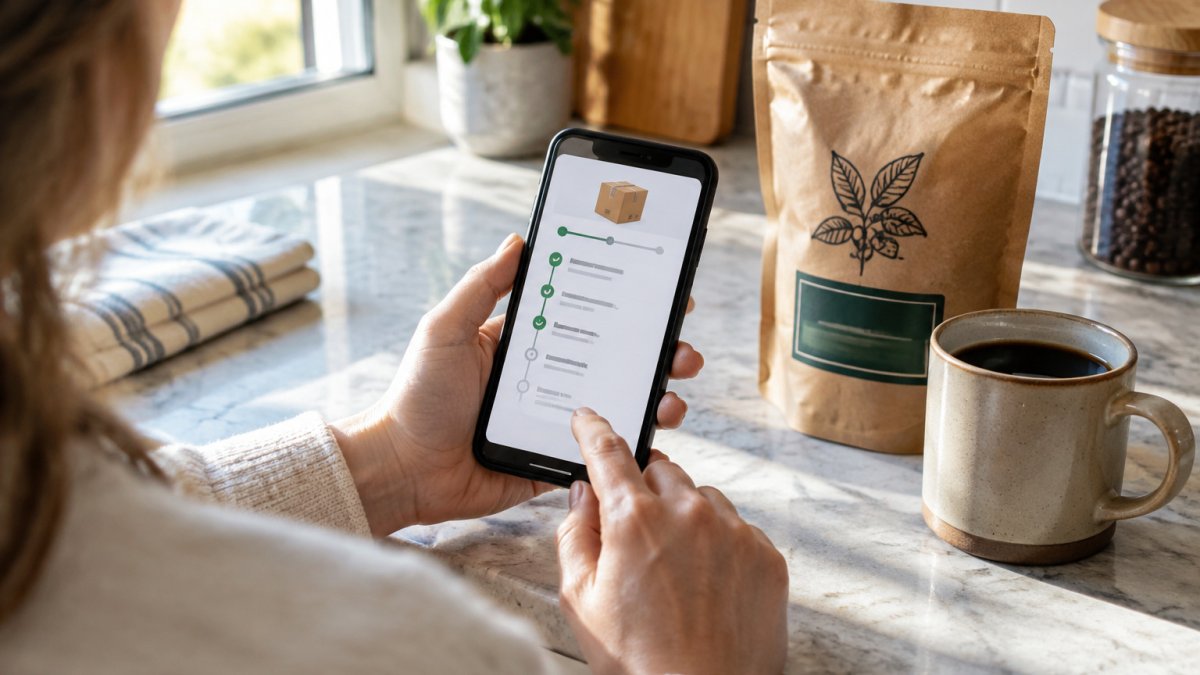
If you only have the tracking number, go to the carrier's website and paste it into the tracking field. Make sure you select the right carrier, since the same number format can belong to different services.
Carrier scans show each stage: label created, carrier pickup, in transit, out for delivery, and delivered. A package can sit at "label created" for a short time before the carrier scans it, so a single quiet day is not always a problem.
How Long Coffee Subscription Shipping Takes
Shipping time for a coffee subscription is really two clocks running at once: the fulfillment clock (renewal to carrier handoff) and the transit clock (carrier pickup to delivery). Knowing which clock you are on tells you when tracking should become available and when to worry.
The subscription-specific timeline. A recurring coffee order typically moves through five stages:
- Renewal. Your subscription renews on its scheduled date and the payment is authorized. This is a billing event, not a shipment event. A successful charge does not mean a box has left the roastery.
- Processing. The order enters the fulfillment queue.
- Fulfillment and label creation. A shipping label is generated and a tracking number is assigned. At this point the tracking number exists, but the carrier may not have scanned the parcel yet.
- Carrier handoff. The carrier picks up the parcel and applies the first physical scan. This is when tracking starts moving in earnest.
- Transit and delivery. The parcel moves through the carrier network to out-for-delivery and delivered.
When tracking should appear. Check your account for the tracking number once your renewal has shipped. The number may sit at "label created" for a day or two before the first carrier scan. If tracking has not appeared after a reasonable wait, check your account or contact support.
Transit expectations. Transit time depends on the carrier service and destination. Because coffee is roasted to order, most of the wait is in transit rather than in roasting. Learn why roast-to-order coffee affects delivery timing.
Billing status is not shipment status. A renewal can post successfully while the parcel is still in processing. Treat the renewal charge and the first carrier scan as two separate checkpoints, and use the tracking page, not the billing receipt, to judge where the package actually is.
For a current delivery estimate on your specific order, check your account or the carrier's tracking page.
The two clocks of a subscription shipment, and what each stage means for when tracking should appear:
| Stage | What happens | What to expect |
|---|---|---|
| Renewal | Subscription renews and payment is authorized | Billing event, not a shipment event |
| Processing | Order enters the fulfillment queue | Status moves once the order is confirmed |
| Fulfillment and label creation | Shipping label generated, tracking number assigned | Number exists before the carrier scans it |
| Carrier handoff | Carrier picks up and applies first physical scan | Tracking starts moving in earnest |
| Transit and delivery | Parcel moves through carrier network to delivered | Most of the wait is in transit |
What to Do When Your Coffee Subscription Package Is Delayed
A delay is often a normal hold-up, not a lost package. The useful skill is telling the two apart and knowing the escalation path for each. Work through these steps in order.
Step 1: Read the tracking status literally. Open the carrier's tracking page and note the exact status and the date of the last scan. "Label created" with no pickup scan means the parcel has not been handed to the carrier. "In transit" with no movement for several business days suggests a network delay. "Exception" or "undeliverable" means the carrier has hit a specific problem and you need to act.
Step 2: Confirm your shipping address. An incorrect or incomplete address is one of the most common causes of delivery exceptions. Compare the address on the order to the address on file in your account, including apartment or unit numbers and ZIP+4 details. If the address is wrong and the parcel has not shipped, update it before fulfillment. If it has already shipped, contact the carrier and customer support immediately; a package marked undeliverable is usually returned to the sender.
Step 3: Distinguish the exception types.
- Address problem or undeliverable: the carrier cannot complete delivery. Contact the carrier to correct the address if the parcel is still in the network, and contact support to arrange a reshipment if it is returned.
- Lost in transit: no scan movement for an extended period and the carrier has declared the parcel lost.
- Misdelivery: tracking shows delivered but you do not have the parcel. Check with neighbors and your building's mail area first, then ask the carrier to open a delivery investigation.
- Returned to sender: the parcel is on its way back.
Step 4: Check your subscription schedule. If the package is delayed and your subscription renewed on time, confirm whether the next shipment is still scheduled so a delay does not cascade into a gap. You can manage your payment details to keep future deliveries on track so the next bag isn't interrupted. If you were charged for a renewal you didn't want, request a refund for an accidental renewal using the steps on that page.
Step 5: Contact support with the right information. Reach out when a package is more than a few business days past its expected date, tracking shows no movement, or the status shows an exception. Include your order number, the tracking number, the shipping address on the order, and the date of the last tracking scan. Support can help confirm the tracking number and check whether the shipment was scanned.
Watch out: do not wait indefinitely on a package marked "returned to sender" or "undeliverable", those statuses do not resolve themselves, and the sooner support is looped in, the faster a replacement can ship.
Troubleshooting Tracking Links That Won't Update
Sometimes the tracking link opens but shows no new information. This often happens when the carrier hasn't scanned the package yet. Wait a day and check again before assuming there's a problem.
If the link gives an error, copy the tracking number and enter it directly on the carrier's website. Links from old emails can break if the carrier changes its system, and typing the number yourself often works.
If the number itself isn't recognized, double-check it for typos. Tracking numbers are case-sensitive on some carriers and can be easy to misread, particularly the letter O and the number 0.
If you still can't track the package, contact customer support. They can confirm the tracking number on file and check whether the shipment has been scanned.
Booking Your Next Roast: Checking Your Upcoming Ship Date with Lux Brew
Once your current shipment arrives, you'll want to know when the next bag is coming. Your account shows the next subscription ship date, so you can plan your brewing without running out.
Lux Brew Coffee Co. roasts to order, which means each shipment is fresh when it leaves. Checking your upcoming ship date ahead of time gives you a clear window to make any changes you need.
Pricing depends on your order size, frequency, and delivery details. For current prices or a quote, check the Lux Brew Coffee Co. website.
Frequently Asked Questions
How do I check the shipping status of my coffee subscription?
Sign in to your Lux Brew Coffee Co. customer account and open your order history. Select the most recent subscription order to view its details, which list the carrier and tracking number once the order has shipped. If you cannot sign in, search your email inbox for the shipping confirmation sent after roasting and dispatch, then select the tracking link in that message. Shipping status updates depend on the carrier, so allow a day for scans to appear after dispatch.
How long does coffee subscription shipping usually take?
Lux Brew Coffee Co. roasts each batch to order and ships it within hours of roasting, so most of the wait is carrier transit time within the United States. Transit time depends on the carrier service selected, the distance to your address, and the day of the week the package leaves. Check your shipping confirmation or account page for the carrier and tracking details. Pricing depends on quantity, delivery options, and your subscription plan, so visit the Lux Brew Coffee Co. website for current shipping rates.
What should I do if my coffee subscription package is late?
First, confirm the tracking number and carrier in your account or shipping email, then check the carrier's website for the latest scan. If the tracking has not moved for several business days, contact the Lux Brew Coffee Co. support team with your order number and tracking number so they can review the shipment. Keep the original confirmation email handy in case you need it.
